Designing a scalable scheduling workflow for multiple accounts
Sales representatives needed a faster way to create and schedule touchpoints across multiple customer accounts — without repeating the same workflow over and over again.
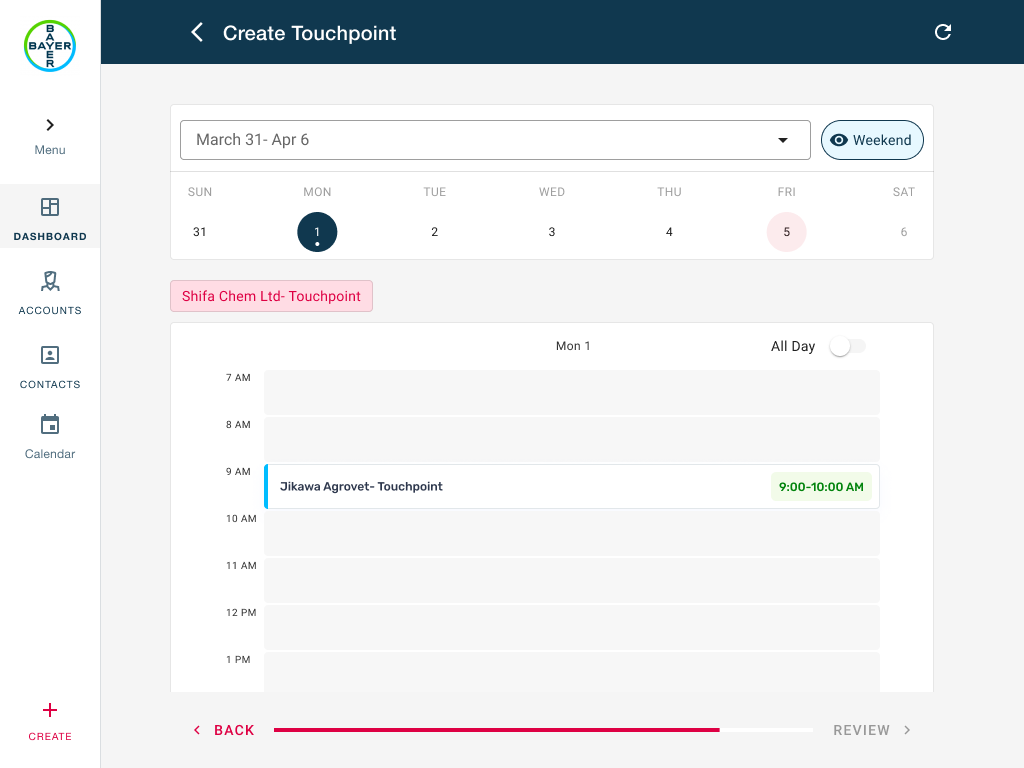
A bulk-creation problem that turned into a workflow design challenge.
While working on Customer Plus, I was asked to improve how sales representatives planned touchpoints across multiple accounts.
A touchpoint could be a dealer meeting, farmer event, awareness session, field visit, or any other customer interaction. Although these activities often shared the same objective and content, they rarely happened at the same time.
Reps needed to create multiple touchpoints with the same information while assigning a different schedule to each account — a challenge involving scalability, scheduling flexibility, and usability on mobile devices.
The existing workflow asked reps to repeat themselves.
- 01Create touchpoint
- 02Enter information
- 03Assign schedule
- 04Save
- 05Repeat↺ × 30
Not everything needed to be unique.
When I mapped the data, a pattern emerged. The content was almost always shared — only the schedule changed per account.
- TitleShared
- DescriptionShared
- Event typeShared
- ActivitiesShared
- DateIndividual
- TimeIndividual
- Calendar slotIndividual
- ScheduleIndividual
Users weren't trying to manage records.
They were trying to plan activities.
"What if scheduling felt more like organizing items on a calendar than filling out forms?"
A three-step flow built around how reps actually plan.
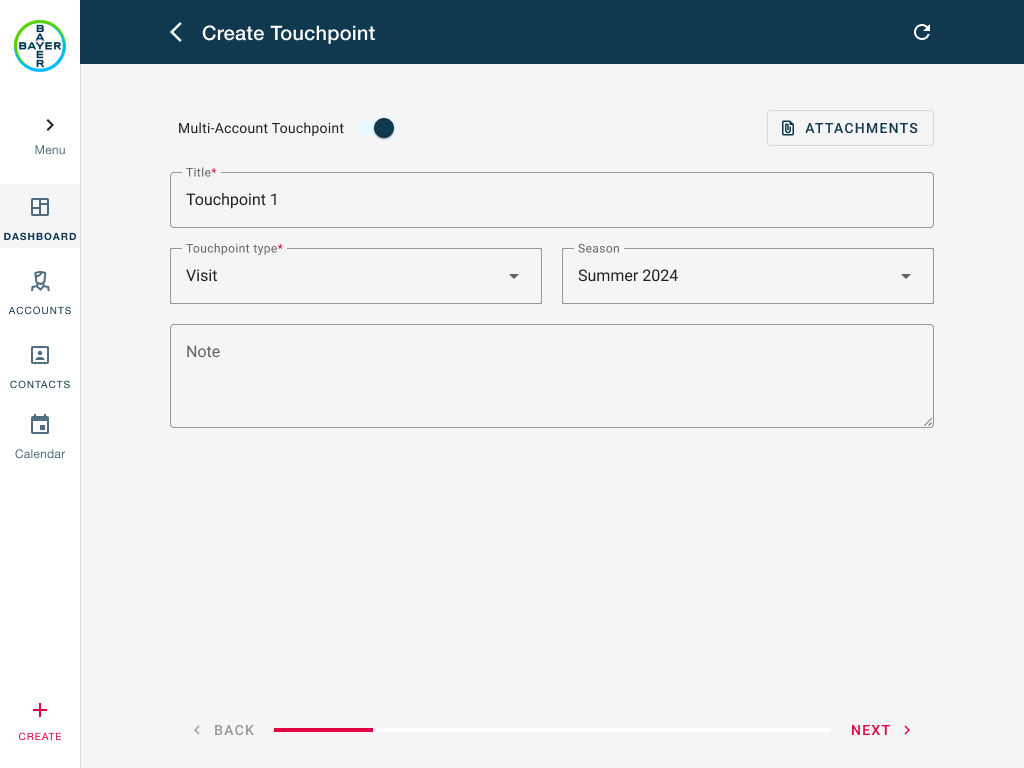
Add shared information
Users entered the touchpoint title, description, event type and activities once. This information automatically applied to every selected account.
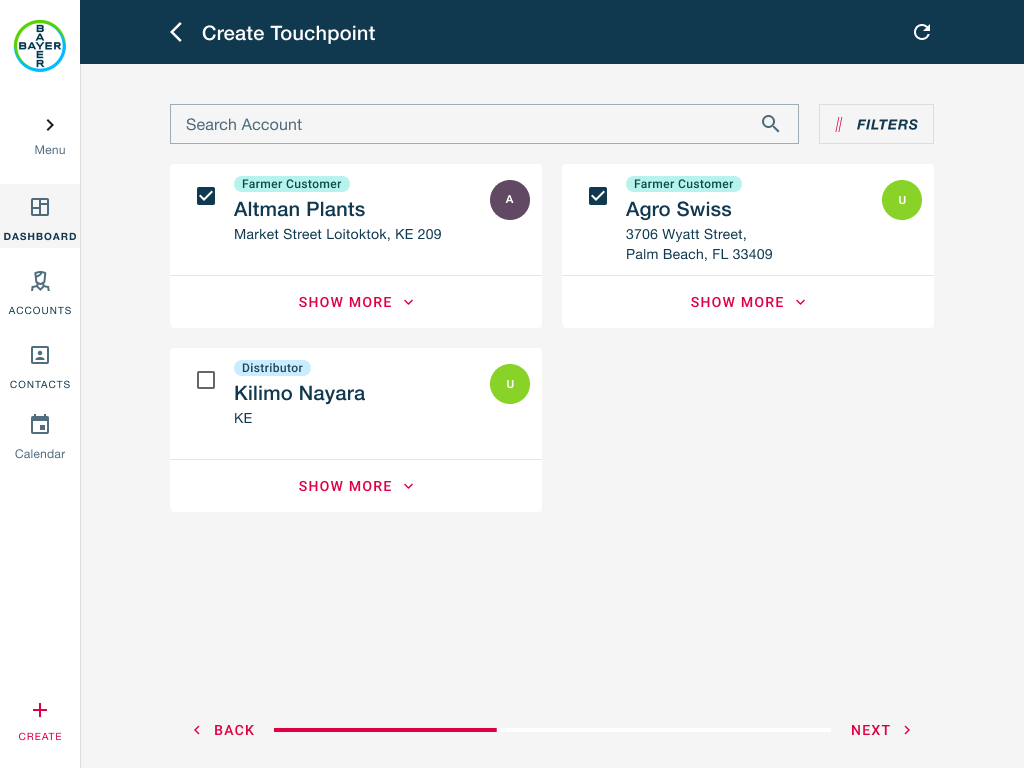
Select accounts
Sales reps could select multiple accounts in a single action, supporting large campaigns without creating visual clutter.
Schedule individually
Each account could be assigned its own date and time using a drag-and-drop calendar interaction. Instead of navigating repeated forms, users visually placed accounts onto available slots and saw how activities were distributed across their schedule.
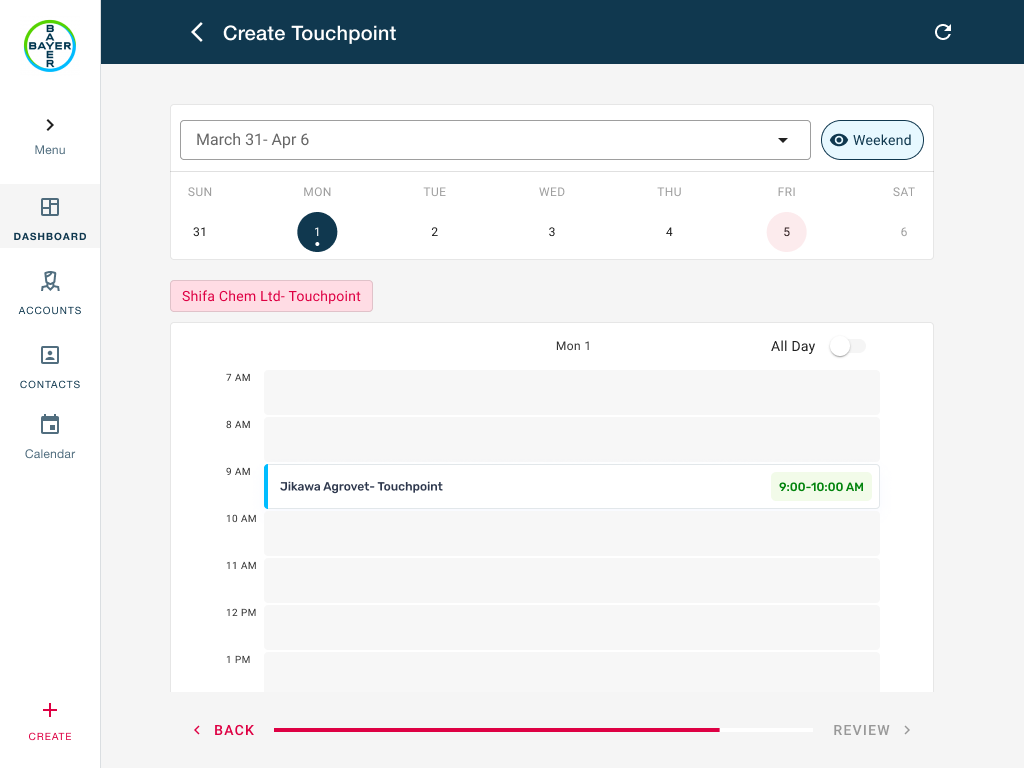
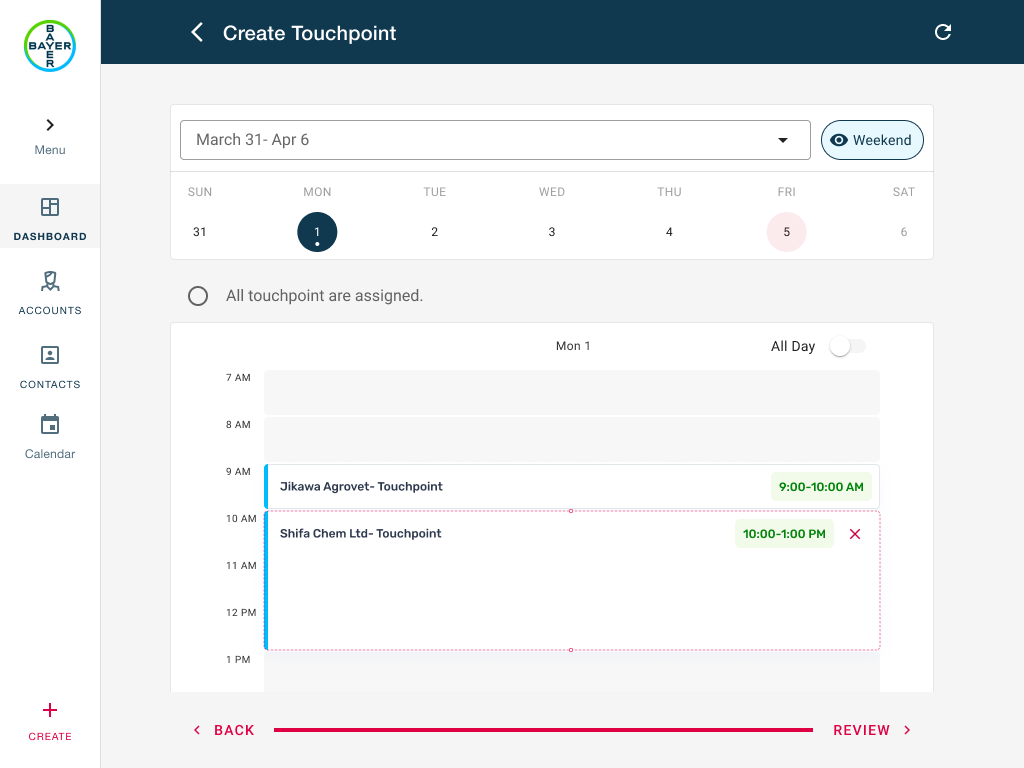
Drag-and-drop scheduling allowed sales representatives to assign individual dates and times while creating touchpoints in bulk.
Schedule by placing accounts directly onto the calendar.
A planning workflow that scales with the field.
"During usability testing, users quickly understood the drag-and-drop interaction with minimal guidance — the workflow felt natural even on tablet devices."
What I learned.
Complex enterprise problems don't always require more controls, more configuration, or more screens. Sometimes the biggest improvement comes from changing the interaction model itself.
By separating shared information from scheduling decisions and introducing direct manipulation through drag-and-drop, I simplified a workflow without removing any of its flexibility.